Live moon wallpaper: moon phases, moonrise and battery explained
A live moon wallpaper shows the moon on your home or lock screen and recalculates its phase and position over time, unlike a static photo that always shows the same moon. It follows the real cycle of about 29.5 days, and it uses a little more battery than a still image, mostly when it is animated.
Updated:
What is the moon phase tonight, and how do I tell?
The Sun always lights one half of the Moon. How much of that lit half we see depends on where the Moon is in its orbit around Earth. According to NASA the cycle from new moon to new moon takes about 29.5 days, with eight named phases in between.
In the Northern Hemisphere: if the right side is lit, the moon is waxing; if the left side is lit, it is waning. In the Southern Hemisphere it is the other way round. The time of day helps too: a thin crescent low in the west just after sunset is always waxing, a crescent in the east before dawn is always waning.
| Phase | Day | When it is in the sky |
|---|---|---|
| New moon | 0 | not visible, up during the day near the Sun |
| Waxing crescent | 1–6 | evening, low in the west after sunset |
| First quarter | about 7 | afternoon until around midnight |
| Waxing gibbous | 8–14 | from afternoon into the second half of the night |
| Full moon | about 15 | rises at sunset, visible all night |
| Waning gibbous | 16–21 | from late evening into the morning |
| Third (last) quarter | about 22 | from around midnight into the morning |
| Waning crescent | 23–29 | early morning, in the east before sunrise |
When is the next full moon?
Strictly speaking, the full moon is an instant: the moment when the Moon sits exactly opposite the Sun as seen from Earth. To the eye it looks full a day before and after as well; one day either side of that instant it is still about 98 percent lit.
Because the instant is the same worldwide, the calendar date can change with your time zone. The times below are for the US Eastern time zone (EST in winter, EDT in summer). We calculated them with the astronomy library PyEphem; other tables may differ by a few minutes.
| Date | Time |
|---|---|
| Nov 24, 2026 | 9:53 AM EST |
| Dec 23, 2026 | 8:28 PM EST |
| Jan 22, 2027 | 7:17 AM EST |
| Feb 20, 2027 | 6:23 PM EST |
| Mar 22, 2027 | 6:43 AM EDT |
| Apr 20, 2027 | 6:27 PM EDT |
| May 20, 2027 | 6:58 AM EDT |
| Jun 18, 2027 | 8:44 PM EDT |
| Jul 18, 2027 | 11:44 AM EDT |
| Aug 17, 2027 | 3:28 AM EDT |
| Sep 15, 2027 | 7:03 PM EDT |
| Oct 15, 2027 | 9:46 AM EDT |
What time is moonrise tonight, and why is it later every day?
Relative to the Sun, the Moon goes once around Earth in about 29.5 days, so it moves roughly 12 degrees east every day. Earth has to turn a little further each day before the Moon clears the horizon again. On average moonrise comes about 50 minutes later than the day before (24 hours divided by 29.5 is about 49 minutes).
The average hides a lot: depending on how steeply the Moon’s path meets the horizon, the delay can shrink to a few minutes or grow well past an hour. Around the autumn full moons the Moon rises at nearly the same time for several evenings in a row, then jumps later. The example for New York around the full moon of November 24, 2026 shows it.
- Times only apply to one place; moving a few hundred miles north or south shifts them by many minutes.
- Hills, buildings and haze on the horizon delay the moment you actually see the Moon.
- For moonrise and phase at your own location, use a moon calendar or an app that calculates from your position.
| Date | Moonrise | Later than the day before |
|---|---|---|
| Nov 20 | 1:57 PM | – |
| Nov 21 | 2:22 PM | 25 min |
| Nov 22 | 2:52 PM | 30 min |
| Nov 23 | 3:28 PM | 36 min |
| Nov 24 (full moon) | 4:15 PM | 47 min |
| Nov 25 | 5:14 PM | 59 min |
| Nov 26 | 6:25 PM | 71 min |
| Nov 27 | 7:42 PM | 77 min |
| Nov 28 | 9:00 PM | 78 min |
| Nov 29 | 10:16 PM | 76 min |
Why does the moon look orange and huge near the horizon?
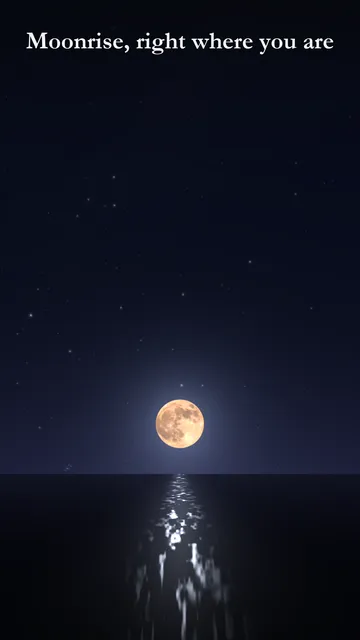
When the Moon is low, its light travels through much more air to reach you. Blue light is scattered more than red, just as at sunset, so what is left looks yellow to orange. As the Moon climbs, the path gets shorter and the light turns silvery white again.
That it looks bigger near the horizon is a trick of perception known as the moon illusion. Its distance hardly changes over those hours, and in a photo the horizon moon is no larger than the high moon. To check, hold your thumbnail at arm’s length next to the Moon at moonrise and again a few hours later.
Does a live wallpaper drain your battery?
A live wallpaper is redrawn again and again, so it uses more power than a photo. How much depends almost entirely on how often and how long it draws. Android’s developer documentation tells wallpaper makers that a live wallpaper should only use the CPU while it is visible, not while another app covers it.
You can measure it yourself: Settings, Battery shows the share for each app. Run the live wallpaper for a normal day and compare it with a day on a still image.
- Turn animation off or pick a still mode if the app offers one: a picture that only changes every few seconds costs far less than smooth motion.
- Prefer dark designs: on OLED screens black pixels are switched off and use almost no power, which makes a night sky a good fit.
- Screen brightness and screen-on time affect battery far more than the wallpaper itself.
- If the wallpaper stops after a restart or stutters, an aggressive battery saver from the phone maker is often blocking it.
How Umbra puts the real moon on your home screen
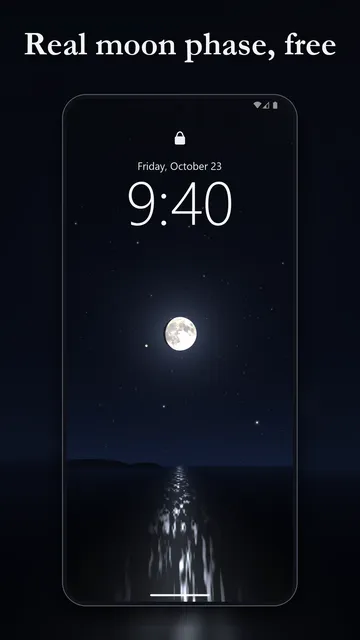
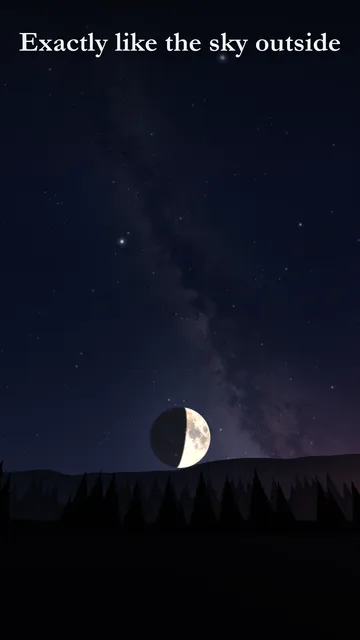
Umbra is a live moon wallpaper for Android that computes the sky for your location minute by minute on your phone: the moon in tonight’s phase, stars and planets where they are right now, the Milky Way and twilight. When the moon rises in the evening, it rises on your wallpaper too, orange low on the horizon and silver higher up.
- The moon is drawn from NASA Lunar Reconnaissance Orbiter maps, with the real terminator and faint earthshine on a thin crescent.
- Moon phase, rise and set times and days until the next full moon inside the app.
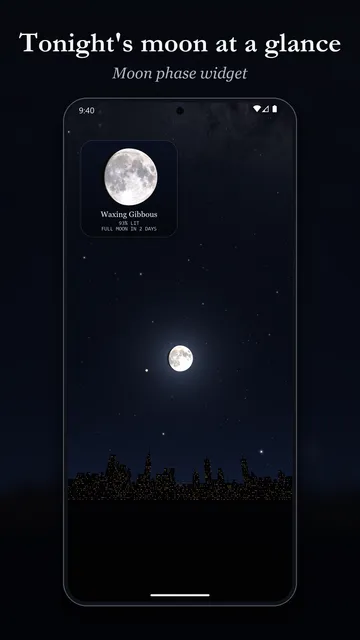
- Moon phase widget for your home screen showing the phase, percent lit and days until full moon.
- Sea scene (with a path of moonlight on the water) and Hills scene; swipe between home screens and the foreground moves faster than the sky.
- Moon size from true to telephoto, and a view towards the moon or any compass direction.
- Twilight colours at dusk and dawn, a blue day sky, and shooting stars more often on the nights of major meteor showers.
- Motion can be switched off to save battery; the wallpaper then only draws a new frame now and then.
What the app cannot do
Umbra is a calculation and rendering, not a photo or telescope image, and it does not show clouds or weather. Even with motion off, a live wallpaper uses a little more battery than a still image, and the app is available for Android only, not for iPhone.
Price
The Sea and Hills scenes, the widget, moon size and shooting stars are free; Umbra Pro adds four more scenes (Peaks, Pines, City, Desert), night all day and constellation lines for $1.89 a month or $10.99 a year in the US (as of November 2026), cancel anytime in Google Play. The free version shows ads; Pro is ad-free. We build this app ourselves; on Google Play it is listed under the developer name InfinityAkhi.
Screenshots
Related calculators on ToolboxDay
Frequently asked questions
Is the full moon a whole day or a single moment?
Astronomically it is a single moment, when the Moon is exactly opposite the Sun. To the eye the Moon also looks full about a day before and after.
Why can I see the moon during the day?
In most phases the Moon spends some hours in the daytime sky, especially around first and last quarter. It is bright enough to stay visible in sunlight; only around new moon is it too close to the Sun to see.
What is the faint glow on the dark part of a crescent moon?
That is earthshine: sunlight reflected from Earth onto the Moon. It is easiest to see on a thin crescent shortly after sunset or before sunrise.
Does Umbra need my exact location?
Umbra asks for your approximate location to calculate moonrise, altitude and direction for your place. According to the store listing your position is only used on your phone.
Can I use Umbra on the lock screen?
Yes, you set Umbra as a live wallpaper; depending on your Android version and phone maker it applies to both home and lock screen or to the home screen only.
Sources
More guides
- KP index explained: what Kp you need to see the northern lights
- True north compass: how to point at the real north, not just magnetic north
- Recurring payments: find them, add them up, cancel what you don’t use
- Lean angle motorcycle guide: how it is measured and what the number means
- Constellation finder: how to find constellations in the night sky
- Oil change reminder: how to time it and never miss it
- Our apps